

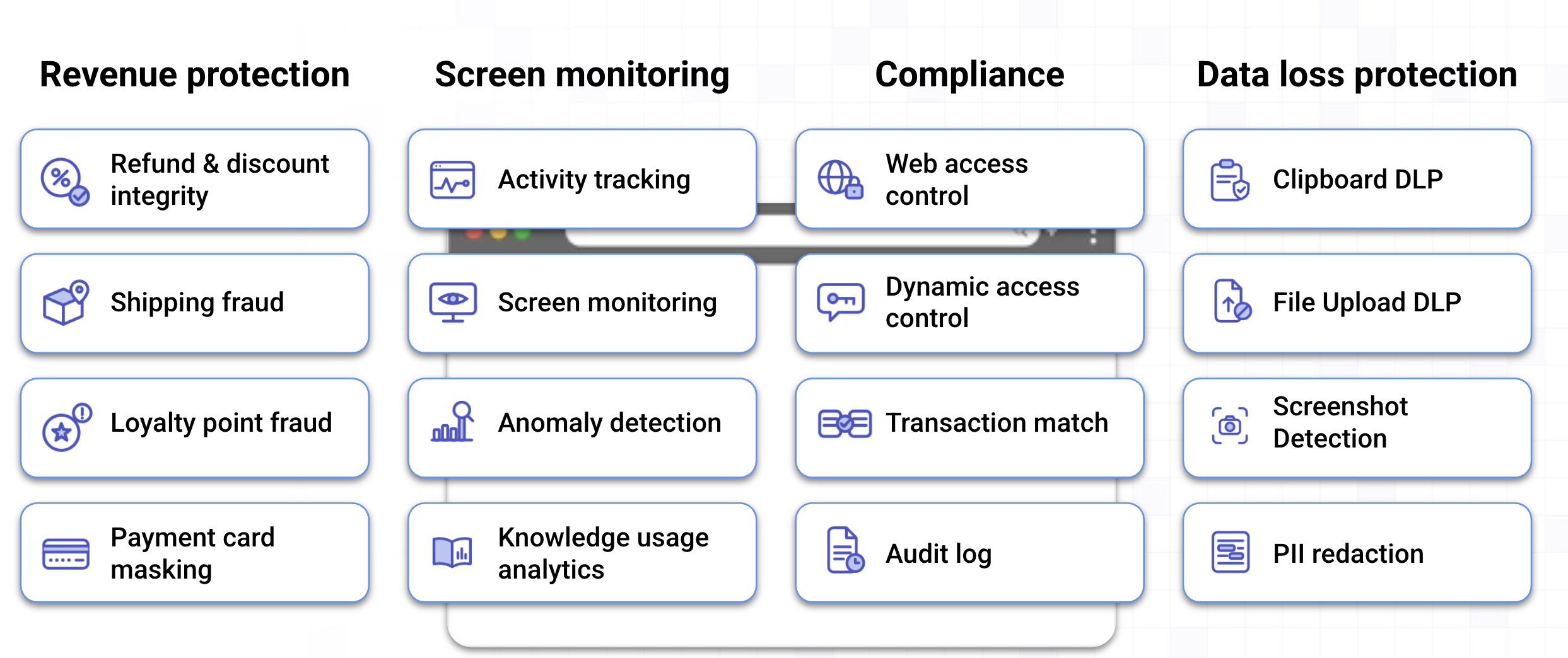
Deep enough to catch what generic tools miss, broad enough to cover fraud, compliance, and data loss in one place.
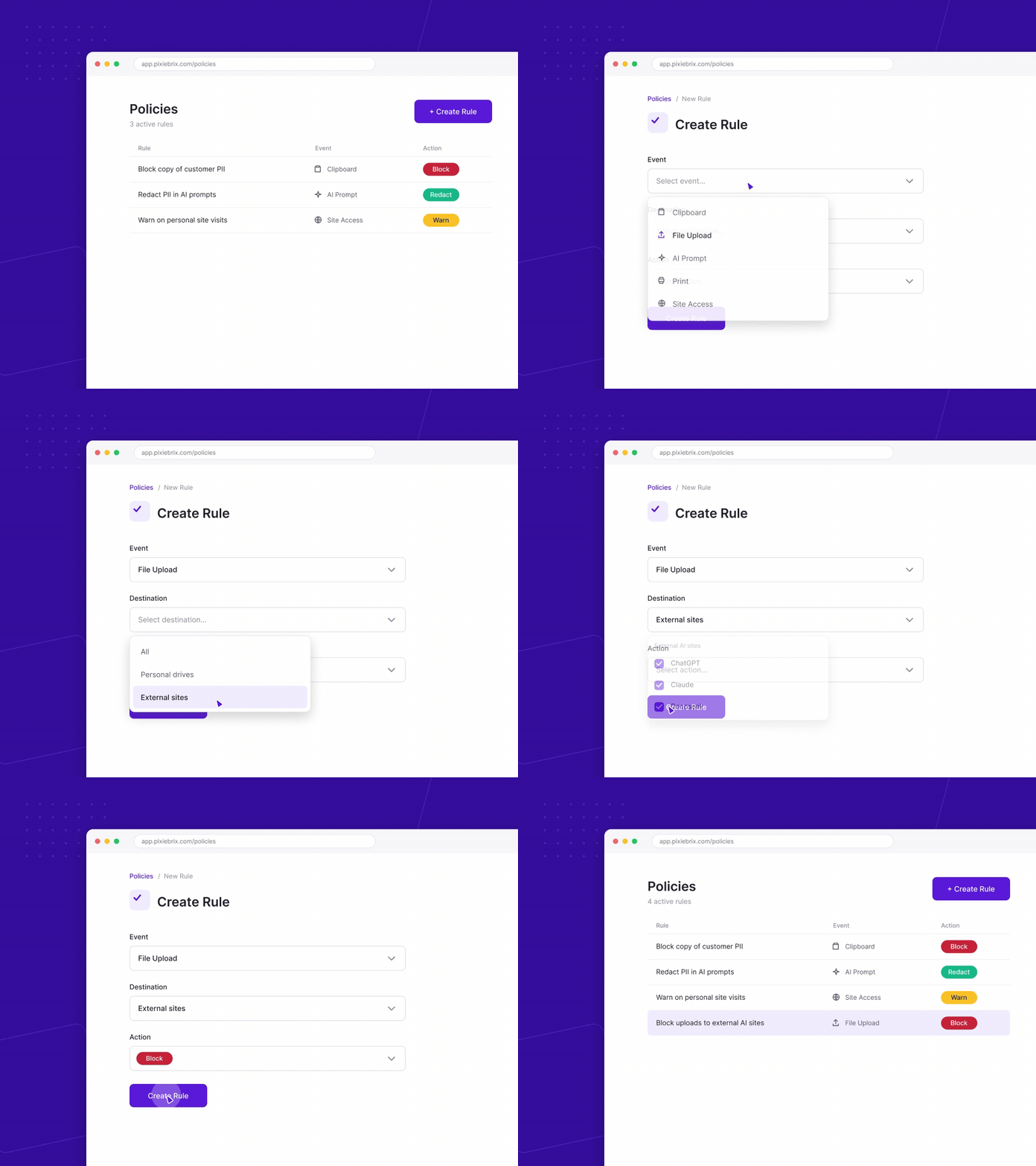
Point-and-click rules, live in minutes.
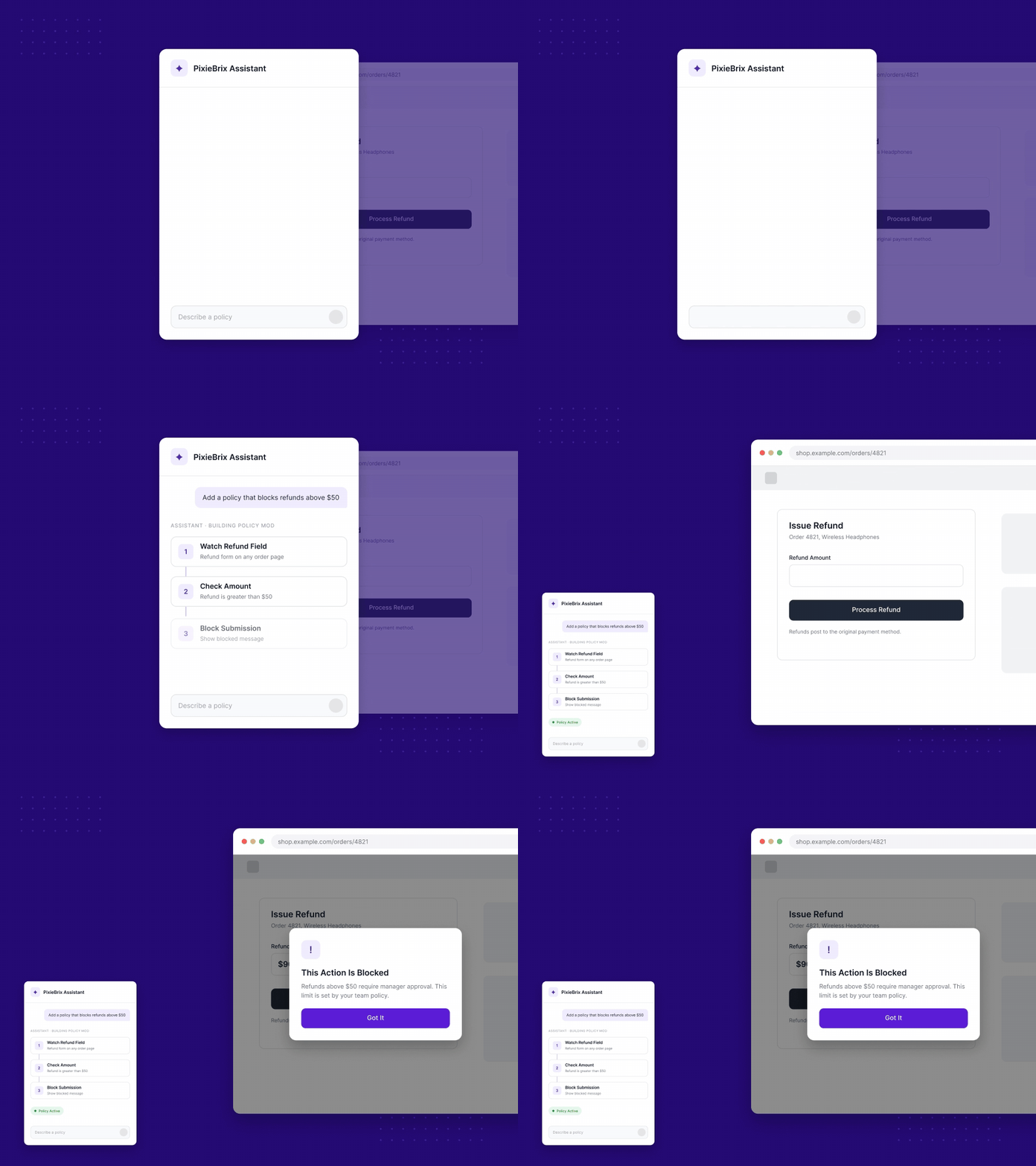
Custom logic embedded in your workflows.
Every action PixieBrix captures is exposed via MCP — ready to correlate with the rest of your stack, or query directly by an AI agent.
Agent activity, fraud flags, and policy events are available via MCP — no custom integration required to get data out.
Correlate PixieBrix data with your CRM, SIEM, or BI tools to build a complete picture, not another disconnected dashboard.
Let your own AI agents query activity data directly — for investigations, reporting, or workflows you build yourself.

Secure enterprise browsers replace the browser itself, which requires migration and user retraining. PixieBrix runs as an extension inside the browsers your team already uses, layering guardrails into existing workflows without forcing a switch.
DLP catches files crossing network or endpoint boundaries. PixieBrix sits inside the browser, catching risky actions, paste events, and policy violations in the flow of work. PixieBrix catches them before they leave the device and become a network DLP event.
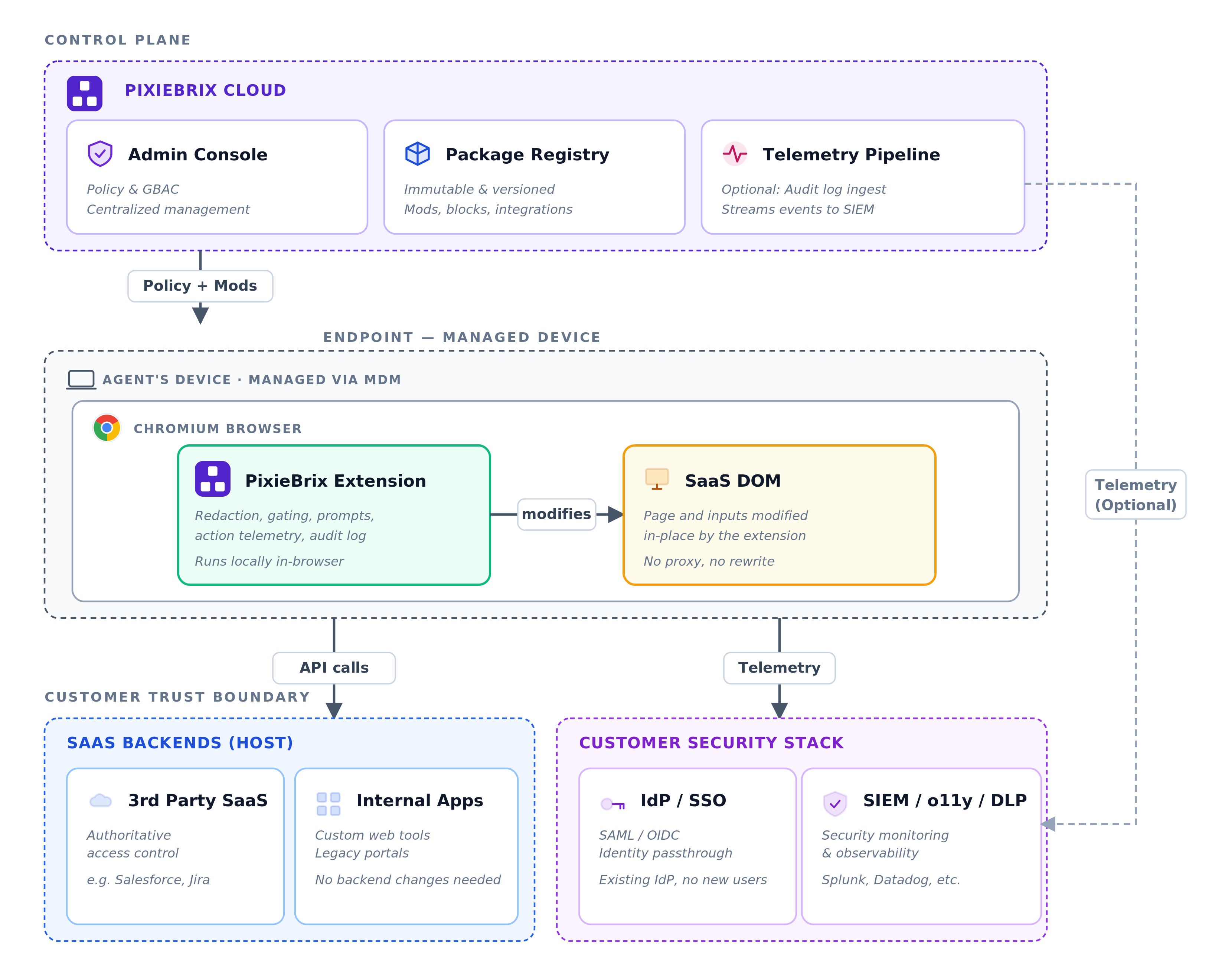
Yes. PixieBrix runs as a browser extension on top of the DOM, so it works with any browser-based application. PixieBrix works with third-party SaaS, external sites, and your custom internal web apps and tools.
On-device. The PixieBrix browser extension processes page data and actions inside the browser. Event metadata is sent to the PixieBrix service and optionally forwarded to your SIEM or observability stack.
Policies can be configured in minutes using the no-code policy editor. Custom controls and automations can also be created in minutes using the low-code editor with AI assistance. No sandbox or test environment is required; the editor can be used directly on a live production web app.
Yes. PixieBrix detects paste events to non-sanctioned domains (including ChatGPT, Claude, and other public AI tools), can surface sanctioned alternatives in-app, and can block high-risk pastes entirely.
Yes. PixieBrix can be deployed and managed through Chrome and Edge enterprise policies, Group Policy Objects, Intune, and other standard MDM tools.
Yes. PixieBrix is SOC 2 Type II certified. Our SOC 2 report is available from our Trust Center: https://trust.pixiebrix.com/


